Meet Dex: Chat With Our AI Build Assistant to Plan Your PC
Latest update, November 4, 2026: Dex now answers more store questions (delivery, warranty, returns and more), points you to restock and price alerts, and gives you a Messenger button when you would rather talk to a person. See What’s new with Dex for every change since launch.
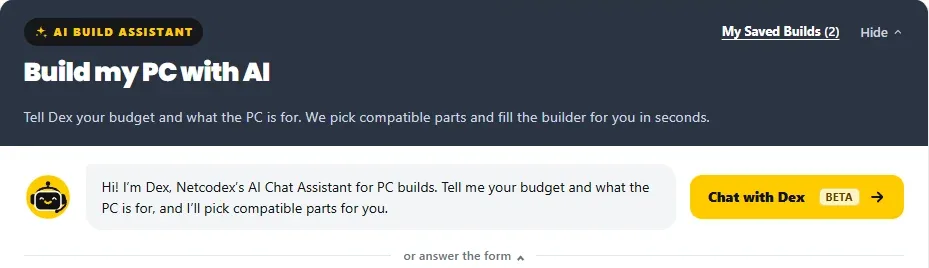
Dex is the AI Build Assistant you can chat with in our Custom PC Builder. Tell Dex your budget and what the PC is for, the way you would tell our team at the shop, in English, Tagalog or Taglish. Dex picks compatible parts from our catalogue at today’s prices, fills the builder for you and explains every pick. You can ask questions, change anything, and even ask about the store. It’s free.
We add to Dex often, so this post grows with it. Every new feature gets a dated line under What’s new with Dex below.
Start a chat
Open the PC Builder, stay on Build it with AI and tap Chat with Dex. Prefer a form? The same panel still has the AI form, a step-by-step guide for first-time builders, and Pick my own parts if you want to choose every part yourself.
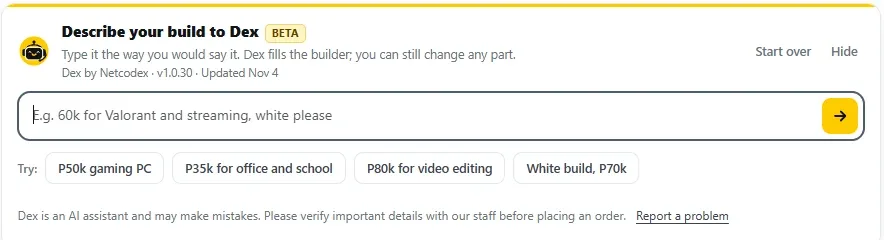
Type your build the way you would say it, or tap one of the examples to begin: ₱50k gaming PC, ₱35k for office and school, ₱80k for video editing, or a white build for ₱70k.
Dex and the AI form
Dex and the AI form sit in the same panel and use the same build engine and compatibility checks, so use whichever suits you. Chat if you would rather describe the PC in your own words; answer the form if you like to tick options.
- While you chat, the form folds away under or answer the form. Tap that line to open it again.
- Built with the form? After Generate my build, you can keep going with Dex: ask what it thinks of the build, why it picked a part, or to change something. Dex works with the build in your builder, whether it came from the form, from Dex, or from parts you picked yourself.
- When Dex builds, your form answers stay as you left them.
- Anything on the form you can also just tell Dex: your screen (1080p, 1440p or 4K), black or white, RGB or no RGB, processor or graphics brand, a single-brand build, parts you already have, and extras like a monitor or keyboard.
Not sure about your budget? Ask what a build costs
Ask something like “how much for a 1440p build for Red Dead?” Dex gives the starting price for that build and a stronger option, then offers to show the parts. Budget buttons appear under the answer, so you can set a budget in one tap.
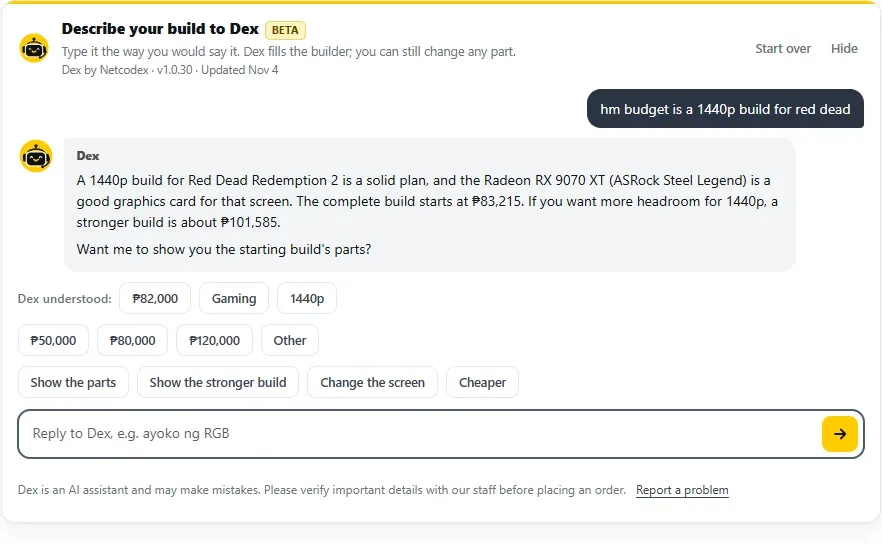
See the parts, and why Dex picked each one
Tap Show the parts or See it in the builder. Dex puts the build in the builder, and every part gets a short “Why this part” line. The builder then runs its compatibility checks: socket and memory, the graphics card’s length against the case, the cooler’s height, and the power supply against the whole build’s power.
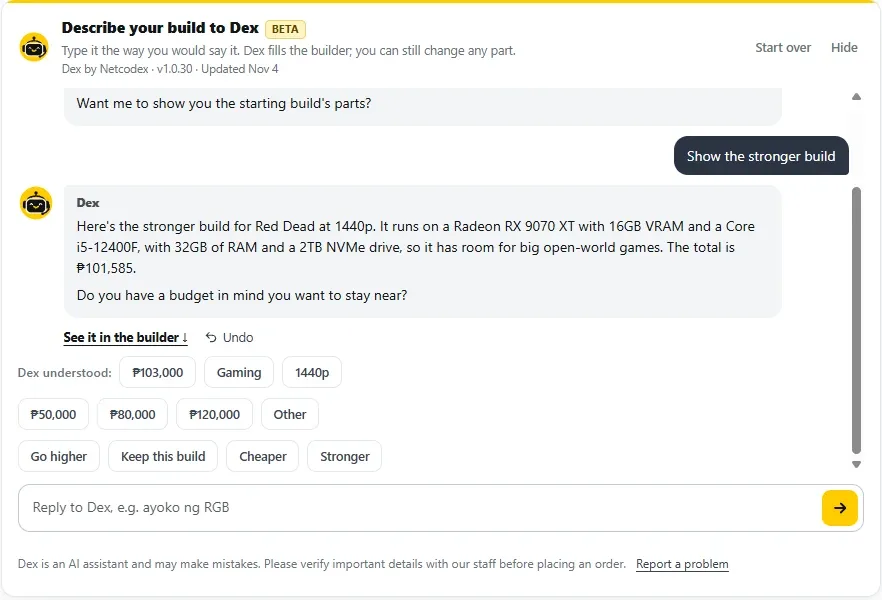
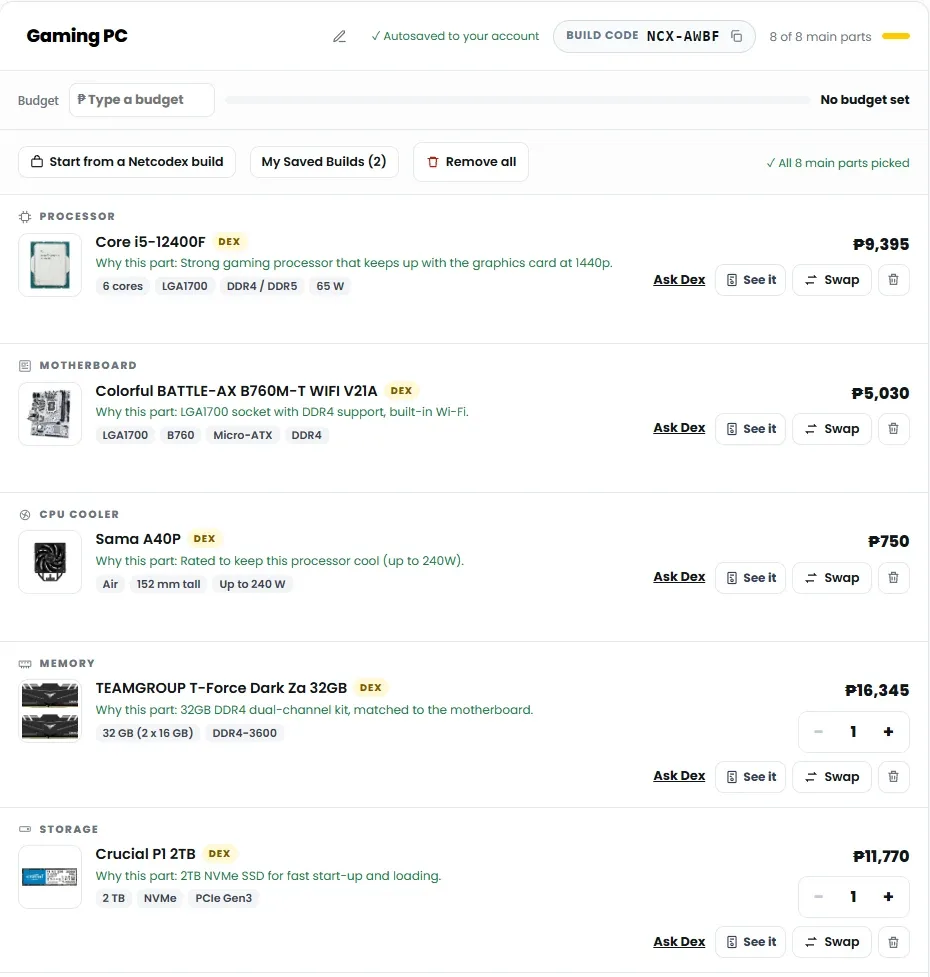
Change anything by asking
Talk to Dex like you would talk to a builder. A few things you can say:
- “Mas malakas” or “Mas mura”, or tap Stronger or Cheaper.
- “Make it an RTX 50 series GPU”. Dex swaps the card, changes the case or power supply if the new card needs it, and tells you how much the total changed.
- “Bring it under ₱70k”. Dex fits the build to the budget you give.
- “Ayoko ng RGB” or “white build”. If you say no RGB without a colour, Dex asks whether you want black or white.
- A part or spec you want: “2TB Gen4 SSD”, “850W Gold power supply”, a model name, or a brand you would rather skip. If Dex is not sure which model you mean, it asks before it changes anything.
- “Balik tayo sa unang build”. Dex remembers the builds in your chat, so you can go back to an earlier one.
Every change has an Undo, and Dex says plainly when something you asked for does not fit the rest of the build.
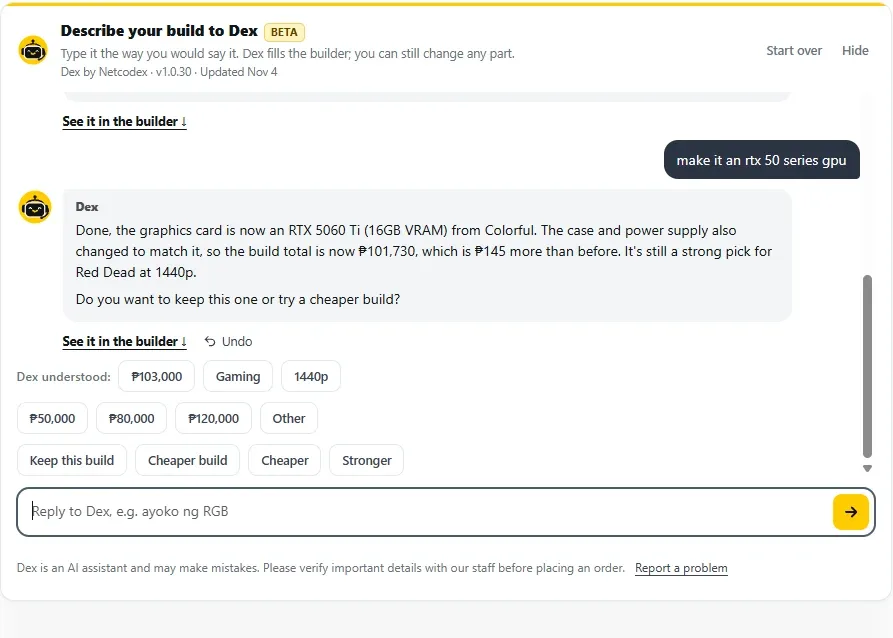
Tell Dex what you already have
Keeping your own parts? Say so, for example “Meron na akong 16GB DDR4 at 1TB SSD”. Dex leaves them out and spends your budget on the rest of the build.
Ask about parts in our catalogue
Ask “How much is a Platinum power supply?” or “Cheapest 27-inch 165Hz monitor under ₱12,000?” and Dex lists what we have with prices. Say “add it” to put one in your build. If a part cannot be ordered on our site right now, Dex says so and points you to the Restock & Price Alerts box on the product page, so you get an email when it can be ordered again or drops to your target price.
You can also ask comparison questions, such as whether a processor will hold back a graphics card. Dex answers in plain words.
Ask Dex about the store
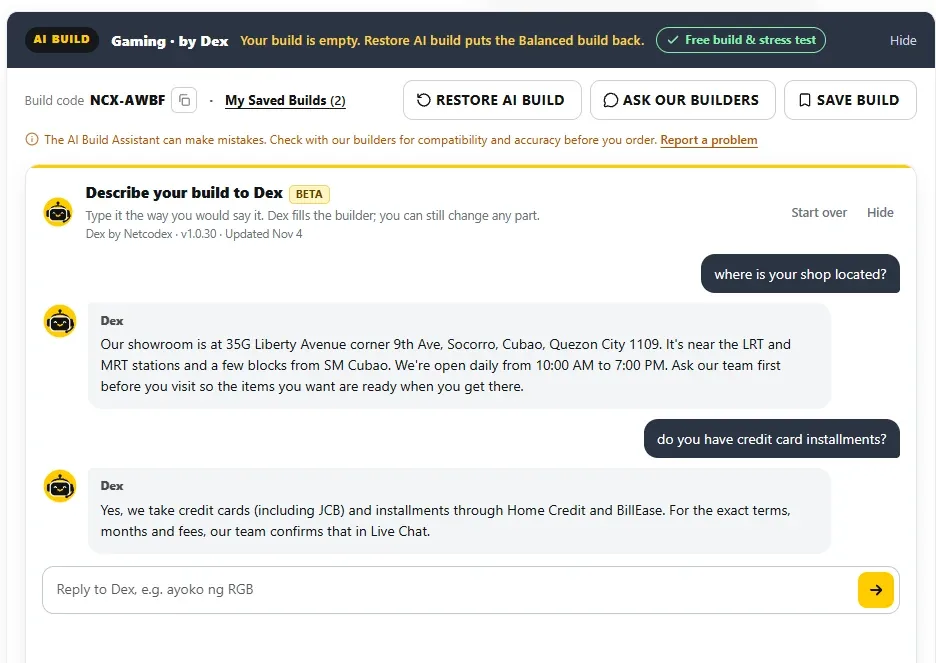
Dex also answers customer service questions, using the same information as our FAQ and policy pages:
- where our showroom is and when it is open
- payment options and installments
- delivery areas, delivery times and courier insurance
- warranty, returns and cancellations
- quotations, price changes and price matching
- how assembly, stress testing and the photos before release work
- trade-ins and privacy
For exact installment terms or anything Dex cannot confirm, it points you to our team.
Talk to a person anytime
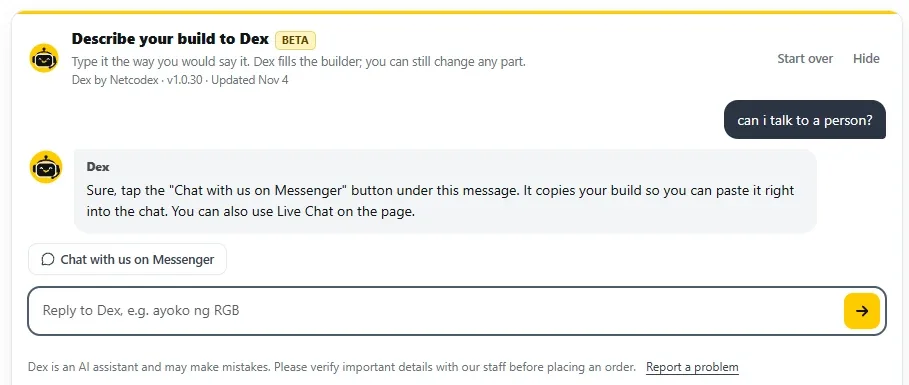
Ask Dex for a person and a Chat with us on Messenger button shows under its reply. It copies your build so you can paste it straight into the chat. You can also tap Ask our builders to send your build code for a second look, or Save build, Share build and Quotation PDF to keep it.
Start over
Tap Start over in the Dex box, or tell Dex to start fresh, to clear the chat and the build. Changed your mind? Tap Undo.
Good to know
- Dex is in beta and can make mistakes. Our technical team checks every build before assembly, and you can always ask our builders before you order.
- Prices are today’s prices and can change. Dex only puts in parts that can be ordered on our site, and our team confirms availability after checkout or in Live Chat.
- Assembly, a stress test and photos of your finished PC before release are free when you buy the parts from us.
- Dex does not take orders or payments. Never share passwords, one-time PINs (OTP) or card details in any chat.
- Chats with Dex are handled by our AI provider and kept for up to 30 days. Details are in our Privacy Policy.
- The line under “Describe your build to Dex” shows Dex’s version and when it was last updated.
Prices in the screenshots are as of November 4, 2026.
What’s new with Dex
November 4, 2026
- Dex answers more store questions: delivery times and courier insurance, warranty, returns, price matching, trade-ins and privacy.
- When a part cannot be ordered right now, or you would like to wait for a lower price, Dex points you to the Restock & Price Alerts box on the product page.
- Ask for a person and you get a Chat with us on Messenger button that copies your build.
- Budget buttons appear under Dex’s price answers until you choose a budget.
- If you typed a budget in the build summary, Dex asks before building to it.
- Say “no RGB” and Dex asks whether you want black or white.
- “Make this my budget” and “a bigger drive” now work as you would expect.
- Start over clears the build as well as the chat, with Undo. The form folds away while you chat with Dex, and a Dex build leaves your form answers as they were.
November 2 and 3, 2026
- Ask for a graphics card series (“RTX 50 series”) or a drive (“2TB Gen4 SSD”) and Dex builds around it. If it does not fit, Dex says so.
- Keep the parts you like while you change others.
- “Start fresh” clears the build, with Undo.
- Low-budget gaming builds keep a graphics card whenever one fits.
- Prices show with the peso sign (₱).
- The Dex box shows Dex’s version and the date of its last update.
November 1, 2026
- Dex understands requests better and suggests follow-up buttons that fit the conversation.
- Go back to an earlier build in the same chat.
- Name a model Dex cannot find and it asks “Did you mean…?” before changing anything.
- Tell Dex which brands to skip.
- “Bring it under ₱70k” fits the build to that budget.
- Comparison questions get a plain answer, and power supplies are named with their 80 PLUS grade.
October 31, 2026: Dex launches (beta)
- Chat with Dex in English, Tagalog or Taglish, and Dex fills the PC Builder for you.
- Ask why Dex picked a part, or make the build stronger or cheaper.
- Ask about parts in our catalogue and add them to your build.
- A “No RGB” look for builds without lighting.
Questions about Dex
Is Dex free?
Yes. Dex is free to use, and so is the PC Builder.
Which languages does Dex understand?
English, Tagalog and Taglish. Dex replies in the language you write in.
Does Dex replace your builders?
No. Dex does the first pass and answers questions. Our technical team checks every build before assembly, and you can ask our builders anytime.
Can Dex place my order?
No. When you like the build, tap Add all parts to cart and check out as usual, or send it to our builders first.
Why does Dex say a part cannot be ordered right now?
Many parts come through our supplier network. When a part cannot be ordered on our site, Dex will not put it in your build. Use Restock & Price Alerts on the product page to get an email when it can be ordered again.
I’d rather not chat. Can I still use the AI?
Yes. Use the AI form under “or answer the form”, follow the step-by-step guide, or tap Pick my own parts.
This post is updated as we add features to Dex. Last updated November 4, 2026.