₱111,000.00Original price was: ₱111,000.00.₱96,530.00Current price is: ₱96,530.00.
Brand: Dell
Model: Dell Pro Slim QCS1250
SKU: DELL-25606-2
Color: Black
Processor: Intel Core Ultra 5 235, 14 cores, up to 5.0 GHz, 65 W
Graphics: Intel Graphics (integrated)
Memory: 16GB DDR5, 2 UDIMM slots, up to 64GB
Storage: 512GB M.2 PCIe NVMe SSD, no optical drive
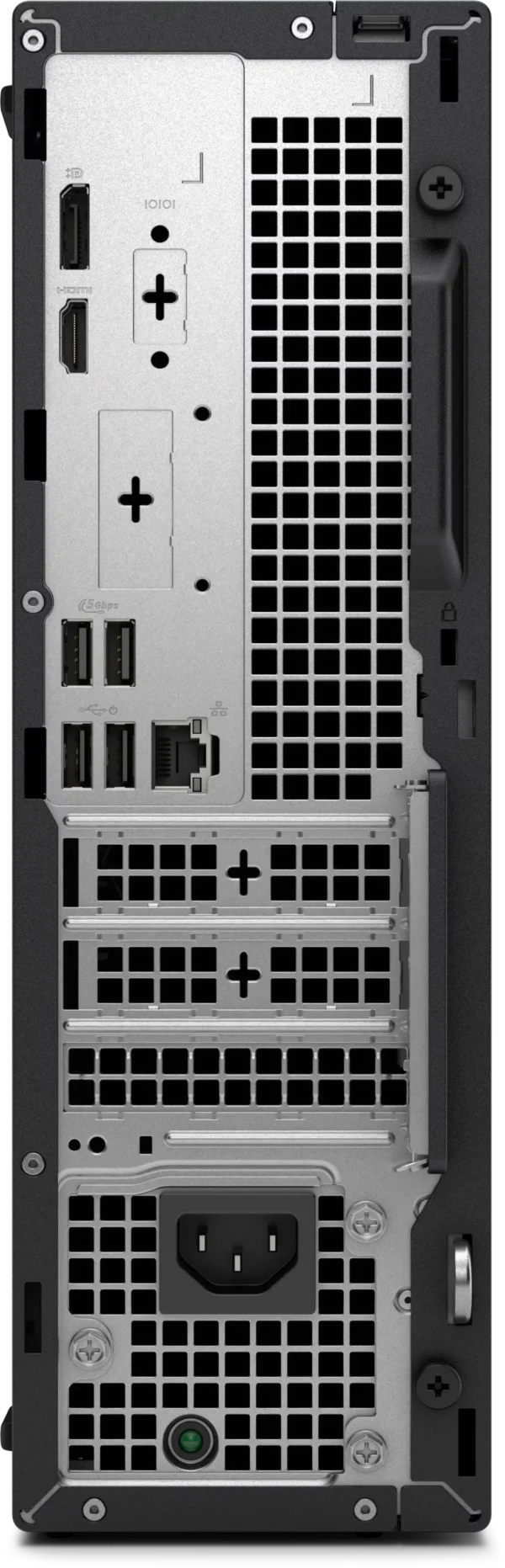
Video Outputs: 1 x DisplayPort 1.4a, 1 x HDMI 2.1
Network: Gigabit Ethernet (Intel i219-LM); Wi-Fi not listed in this configuration
Expansion: 1 x PCIe x16 and 2 x PCIe x1, half-height only
Form Factor: Slim desktop, 303.5 x 95 x 293 mm
OS: Windows 11 Pro
Warranty: 3 Years Basic Onsite
In stock
ℹ️
For walk-in customers: please always INQUIRE FIRST before visiting as not all items are displayed in our physical store. As an online-first store, most of our inventory is held in our online warehouse and is transferred to the store upon request.
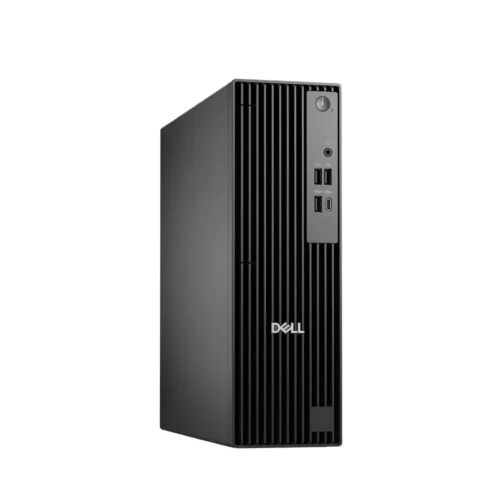
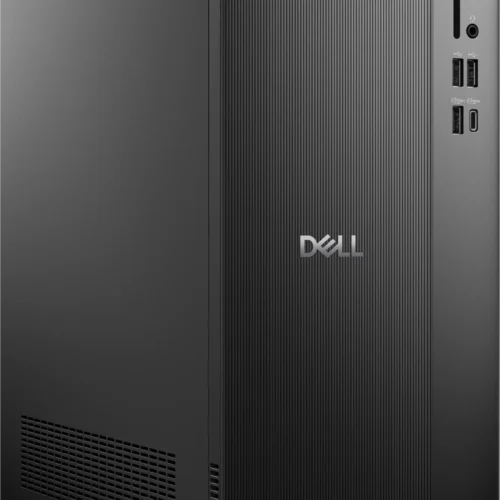
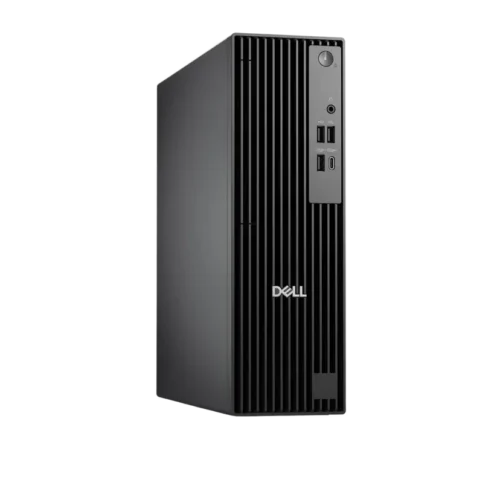
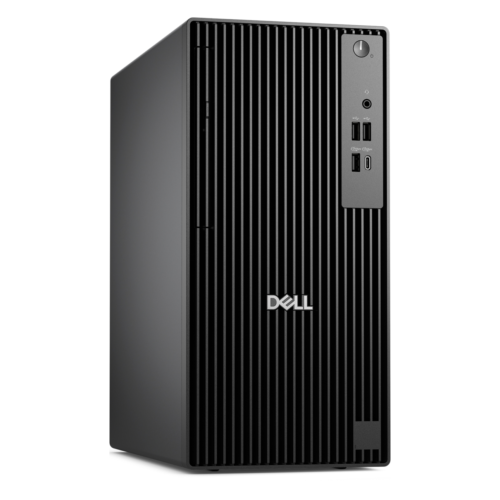
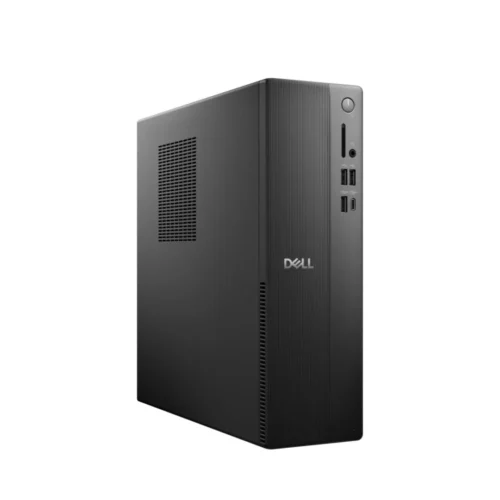
The Dell Pro Slim QCS1250 is Dell’s slim business desktop for offices that want a full Windows 11 Pro machine without giving up desk space. This configuration pairs an Intel Core Ultra 5 235 with 16GB of DDR5 memory and a 512GB NVMe SSD, in a black chassis only 95 mm wide.
It is built for the work most Philippine offices actually do: spreadsheets, accounting and ERP clients, browser based systems, video calls and document handling. It suits companies, schools, clinics and government offices that buy desktops in batches and want one standard unit that IT can deploy, secure and service the same way every time. It is not a gaming or content creation machine; there is no dedicated graphics card and only half-height expansion cards fit.
Dell sells the QCS1250 in many configurations, so the details matter. This unit has no optical drive, and the supplier configuration does not list a Wi-Fi card, so plan on wired Ethernet or add a wireless card. The warranty is 3 Years Basic Onsite; the otherwise identical DELL-25606-1 carries 3 Years ProSupport instead.
Key Features and What They Mean
Core Ultra 5 235: plenty for office work, with room to spare
The Core Ultra 5 235 has 14 cores (6 Performance-cores and 8 Efficient-cores), boosts to 5.0 GHz and is rated at 65 W, according to Dell’s owner’s manual. For office tasks this is more processor than most users will push. The practical gain is responsiveness when several heavy things run together, such as a large Excel file, a dozen browser tabs, a Teams call and an antivirus scan. The chip also includes an NPU rated at up to 13 TOPS that software can use for on-device AI tasks.
Q870 platform and DDR5 memory
Dell pairs Core Ultra processors in this chassis with the Intel Q870 chipset, the business-class chipset with PCIe Gen4 support. Memory is DDR5 in two UDIMM slots, with a maximum of 64GB. Dell’s manual lists 16GB as either a single 16GB module or two 8GB modules, and the supplier listing does not say which this unit uses. In our assessment, if it ships with one module, adding a matching second module is the most useful upgrade: dual-channel memory noticeably helps integrated graphics and multitasking.
Storage layout: the 512GB SSD sits in the single M.2 2230/2280 slot. Inside there is also a bay for one 3.5-inch SATA hard drive and an empty slim optical drive bay, so an office that needs bulk local storage or a DVD drive for legacy software can add one later.
Displays and ports
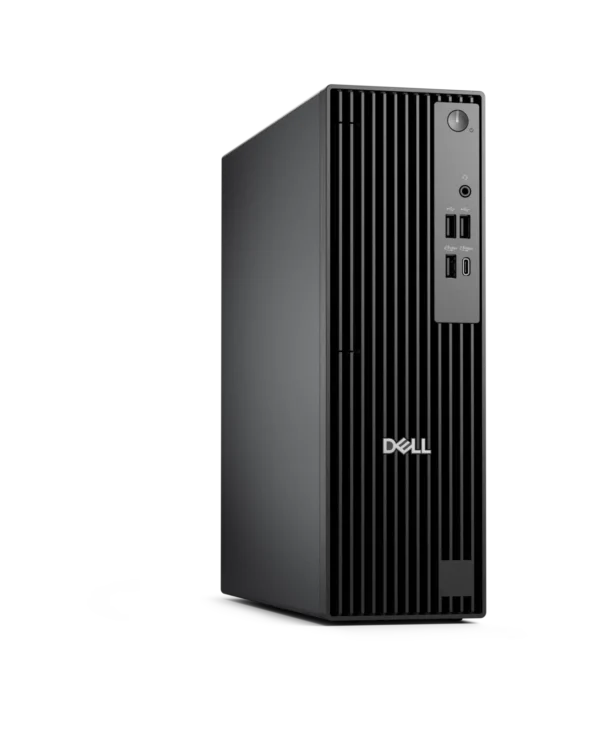
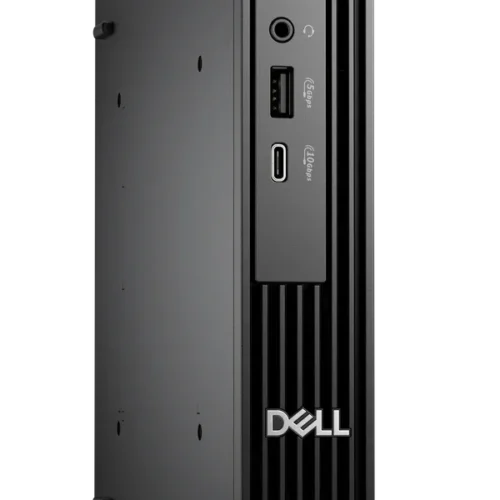
Video comes from the integrated Intel Graphics through one DisplayPort 1.4a and one HDMI 2.1 port on the back, so two monitors work out of the box. There are four USB ports at the front (two USB 2.0, one 5Gbps Type-A and one 5Gbps Type-C) plus a headset jack, and four more USB ports at the rear. Dell offers one optional rear module (VGA, serial, faster USB or an extra video output), but none is listed for this configuration. If the office still uses a VGA projector or a serial receipt printer, budget for an adapter.
Slim chassis, real expansion slots
At 303.5 x 95 x 293 mm the case takes up about 8.4 liters (Netcodex calculation from Dell’s dimensions), and it can stand upright or lie flat under a monitor. Unlike a micro PC, it keeps one half-height PCIe x16 slot and two half-height PCIe x1 slots, which take low-profile network cards, serial or parallel cards and similar office expansion cards.
Competitive Positioning
In Dell’s current business desktop family the Dell Pro Slim sits by size between the Dell Pro Micro and the Dell Pro Tower, and the Dell Pro Slim Plus is the higher-specified model in the same slim size. Against a micro PC, the QCS1250 gives up some desk space but gains an internal drive bay, an optical bay and PCIe slots. In our assessment, the trade against a tower is mainly card size: a tower normally takes full-height cards, which only matters if a dedicated graphics card is planned.
The Core Ultra 5 235 places this configuration in the mainstream office tier: in our assessment comfortably above entry office PCs, while staying on integrated graphics. Buyers who need a workstation GPU or heavy rendering should look at a tower or workstation class system instead.
Philippine Buyer Perspective
Our Take
For a Philippine office standardizing on one desktop, this is a sensible unit. The parts that age fastest in office PCs, memory and storage, are already DDR5 and NVMe, and the processor has headroom for several years of heavier Windows and browser workloads. Windows 11 Pro is included, which matters for BitLocker, domain join and Intune management.
Two things deserve attention before ordering. First, the configuration does not list Wi-Fi, so it is best where a network cable reaches every desk. Second, choose the warranty deliberately: Basic Onsite (this SKU) sends a technician after remote diagnosis, while ProSupport (DELL-25606-1) is Dell’s higher support tier. For a single home office PC Basic Onsite is usually enough; for a fleet where downtime costs money, compare the two.
Dell rates the system for operation at 10 to 35°C and up to 80% humidity (non-condensing). Most aircon offices sit well inside that, but a unit placed in a hot, closed cabinet or a non-aircon storeroom in summer can approach the upper limit. Give it some open space around the vents.
Known Compatibility and Setup Notes
Recommended: keep the BIOS updated. Dell knowledge base article 000394087 lists the Dell Pro Slim QCS1250 among Dell Pro desktops that may fail to start after a forced shutdown, showing a three amber, six white power light pattern. Dell says the issue is under investigation with Intel. The article’s workaround is to unplug and reconnect the power cable, or use the BIOS recovery from USB method. Check Dell Support for the latest BIOS for this model.
Required: half-height cards only. All three PCIe slots are half-height, so any added card must have a low-profile bracket.
Possible consideration: AMD look-alike model. The Dell Pro Slim QCS1255 is the AMD version of this chassis, and its BIOS articles and drivers are different. When downloading drivers or BIOS updates, enter this unit’s service tag on Dell Support rather than picking the model from a list.
Possible consideration: wireless. If Wi-Fi is needed, the M.2 2230 wireless slot accepts a Wi-Fi and Bluetooth combo card; the Dell manual lists Intel Wi-Fi 6E AX211, Intel Wi-Fi 7 BE200 and MediaTek Wi-Fi 6 MT7920 options. A USB Wi-Fi adapter is the simpler route.
Who Should Buy This
Offices standardizing on one desktop: A compact Windows 11 Pro unit with TPM 2.0, wired Gigabit Ethernet and business BIOS security that deploys the same way across many desks.
Accounting, admin and front-desk staff: Enough processor and memory for ERP clients, large spreadsheets and video calls, in a case that fits beside or under a monitor.
Schools and clinics with wired networks: A small desktop with dual monitor output and room to add an internal hard drive later.
Small businesses that want onsite service: The 3 Years Basic Onsite warranty covers hardware repair at the site after remote diagnosis.
Dell Pro Slim QCS1250 Specifications
Product Identity
Brand
Dell
Model
Dell Pro Slim QCS1250 (slim desktop, regulatory model D18S)
SKU
DELL-25606-2
Color
Black
Configuration
Core Ultra 5 235 / 16GB DDR5 / 512GB SSD / no optical drive / Windows 11 Pro / 3 Years Basic Onsite
Sibling SKU
DELL-25606-1 is the same configuration with 3 Years ProSupport instead of Basic Onsite
3.90 kg minimum to 5.89 kg maximum, depending on configuration
Orientation
Vertical or horizontal
Operating Temperature
10 to 35 °C, 20% to 80% relative humidity (non-condensing)
Warranty
Warranty
3 Years Basic Onsite Warranty Service
Packaging Weight
6.9 kg
Packaging Dimensions (L×W×H)
51 × 42 × 28 cm
Brand
Dell
Reviews
There are no reviews yet.
Only logged in customers who have purchased this product may leave a review.
ℹ️
Product Information Notice
Specifications, images, packaging, and included accessories shown on this page are based on information published by the manufacturer and are provided for reference only. Manufacturers may revise product specifications, features, SKUs, and designs at any time and without prior notice, and actual specifications may vary between board revisions, production batches, or regional versions of the same model.
While we take care to keep our listings accurate, we recommend verifying critical specifications on the manufacturer's official product page before purchasing. If a particular specification is essential to your purchase decision or build compatibility, please confirm it with our team first and we will verify the exact unit on hand.
Product images are for illustration purposes and may differ from the actual item. If you spot an error in any listing, please let us know so we can correct it promptly.









Reviews
There are no reviews yet.